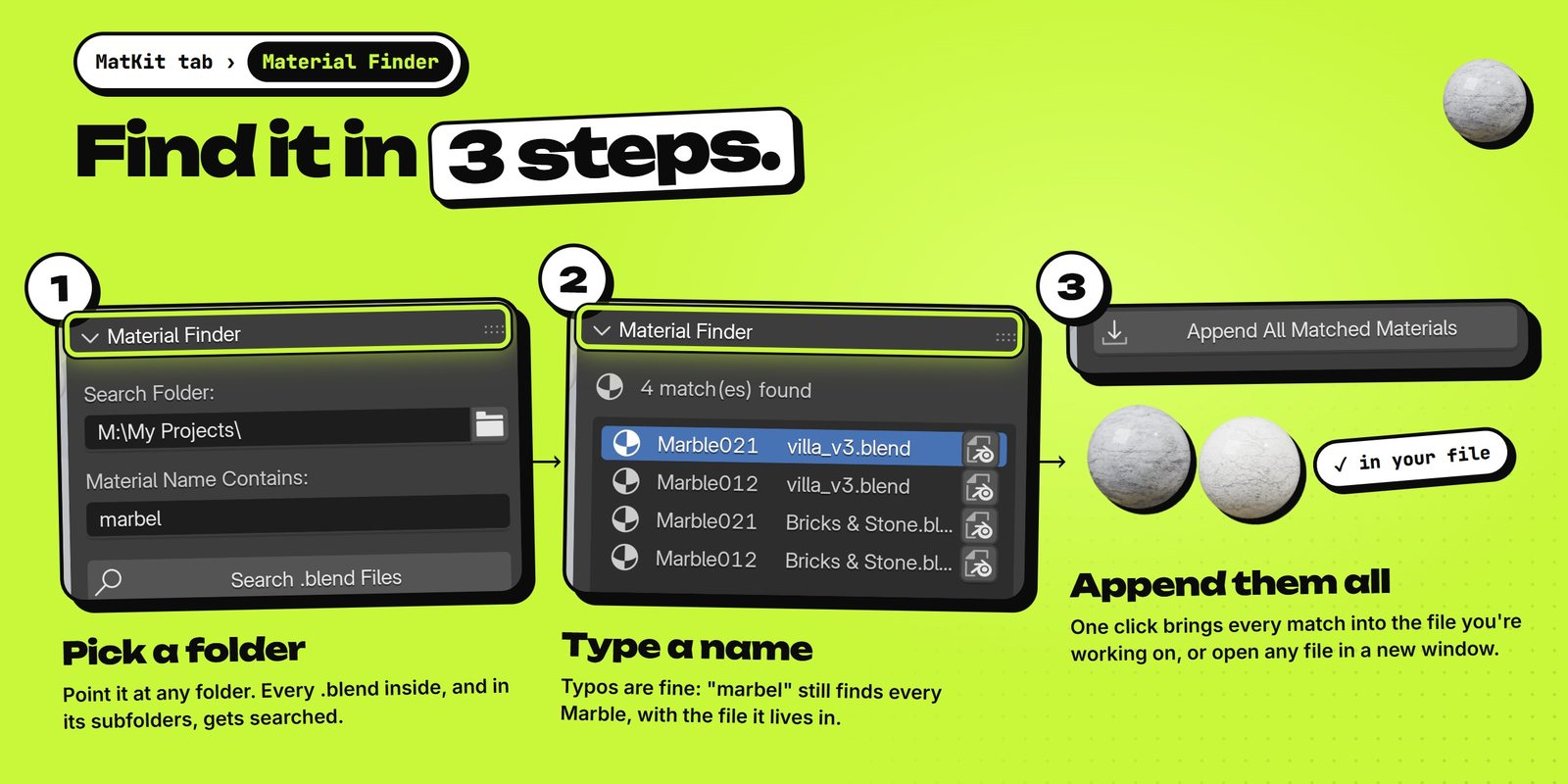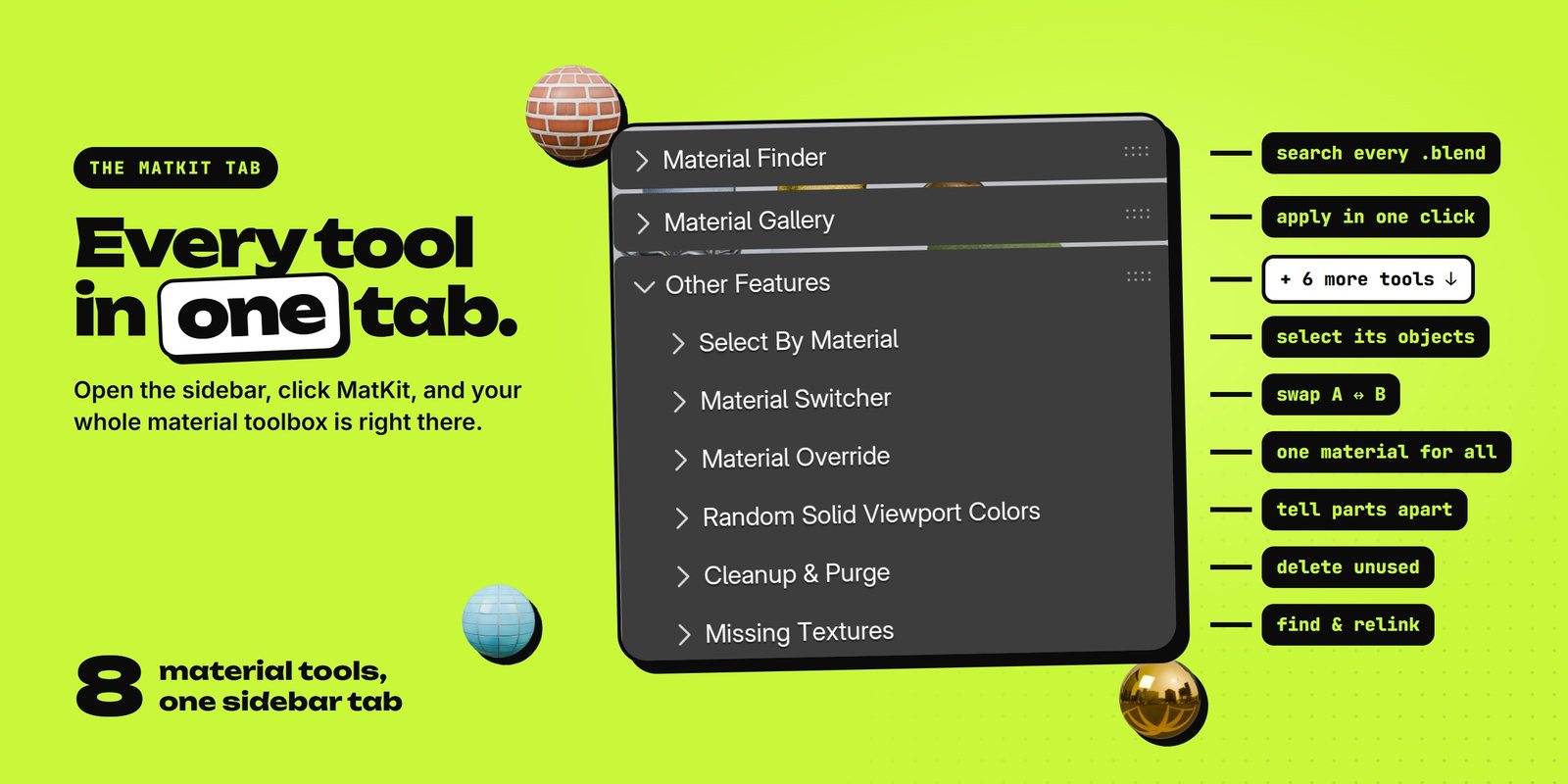
Type a name, pick a folder, and append every match. Plus 7 more material tools, all in one sidebar tab.
A small copy of the Material Finder. Type a name (typos welcome), click Search, then Append.
We kept losing time on this. The perfect marble was in some old project, and finding it meant opening file after file. So we built a tool that looks for us.

MatKit opens nothing. It reads the material names inside every .blend in the folder, subfolders too, and lists each match with the file it lives in.
Every material in your file as a big preview. Click it to see them all, pick one, and put it on the selected object.
Every object with Material A gets B, and every B gets A, across the whole file. Click again to swap back.
Moved a project and now it's all pink? Scan lists every missing image. Point at a folder and MatKit relinks each one by its file name, subfolders too.
Give every material its own color in Solid view. Not happy? Click again. One more click brings everything back to grey.
Pick a material and click Select. Every object that uses it gets selected, so you can see it, move it or change it together.
MatKit counts the materials no object uses. One click deletes them, and your objects keep their own materials.
Plus Material Override: Blender's own view layer override, right in the same tab, for quick clay renders.

Come say hi. We post updates there first, answer questions, and run giveaways for our other add-ons.
Join the Discord →
Superhive has no free downloads, so MatKit is listed at $1. Use the code matkit-free at checkout and it's $0.
In the 3D Viewport, press N to open the sidebar and click the MatKit tab. The Finder, the Gallery and Other Features are all there.
Type what you remember. MatKit also finds close matches, so "marbel" still finds Marble012 and Marble021.
Yes. Every .blend inside the folder you pick is searched, however deep it is.
No. MatKit only reads the material names. Append copies the materials into the file you have open.
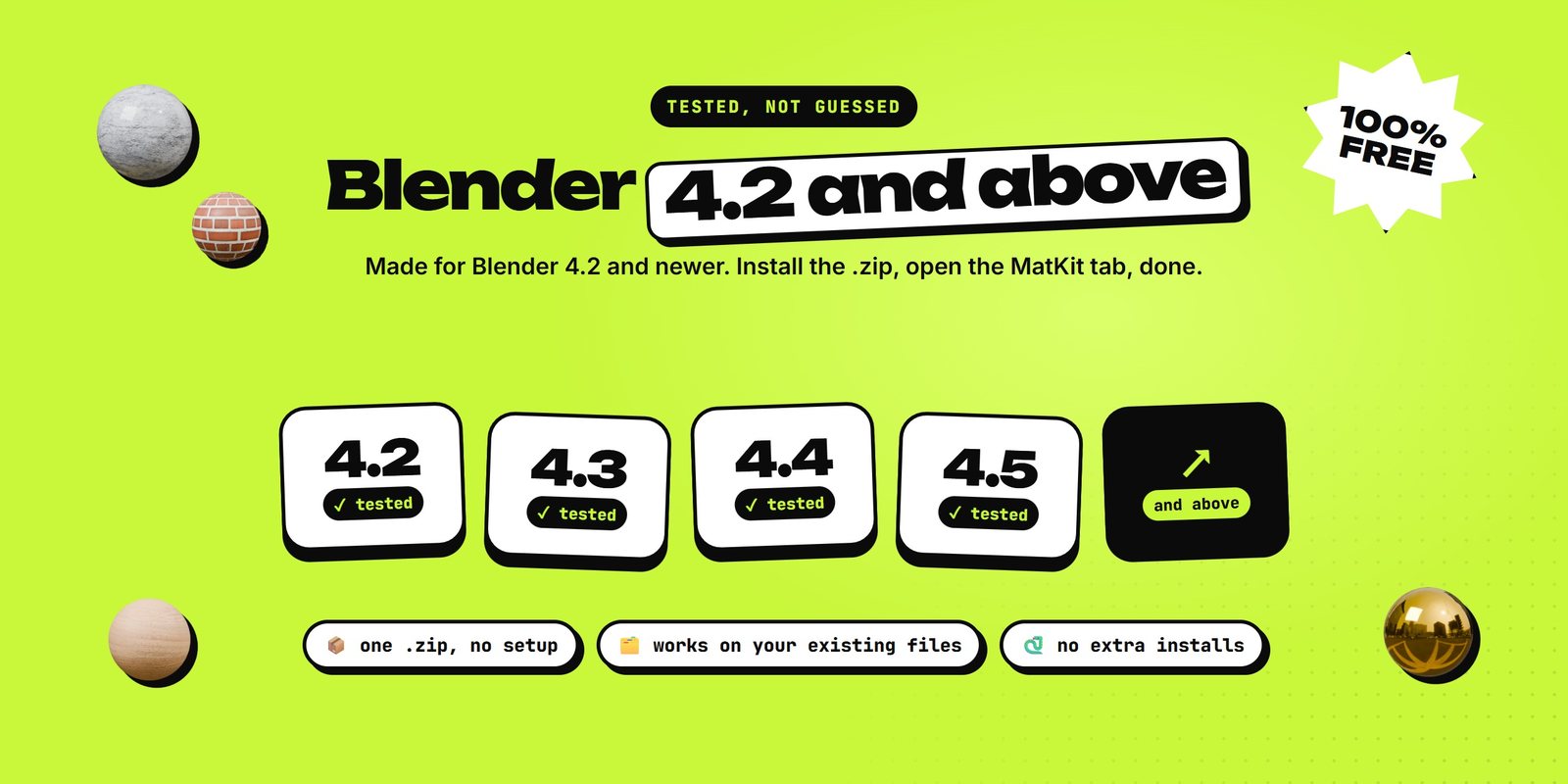
Blender 4.2 and newer. We tested every tool from 4.2 up to the latest Blender. Install it like any extension: drag the .zip onto Blender.
Use the code matkit-free at checkout.


Get 25% of every sale your link brings in. Every 20 sales adds another +5%, all the way up to 50%. We also share ready-made promos for big launches and early looks at new add-ons.
New add-ons, tips and behind-the-scenes.